Skip to content

Every tool, explained

Six tools that answer one question each.

Age Calculator is deliberately small. There is no feed, no social layer and no account. Below is exactly what each tool does, what you put in, and what you get back.

Age between two dates

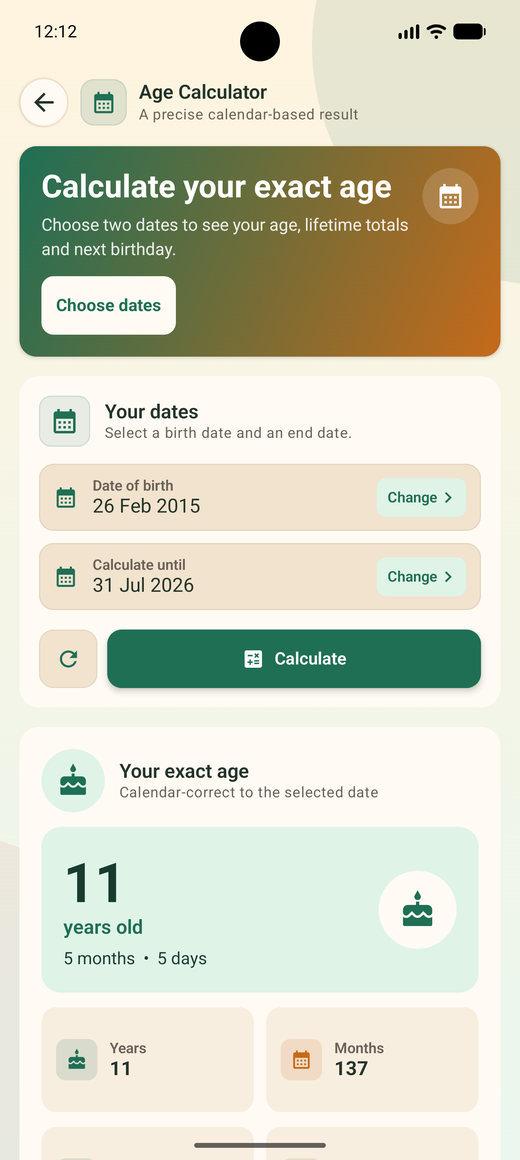
The core tool. Pick a date of birth and an end date — today by default, or any past or future date you choose — and the app returns a calendar-correct result rather than a rough division by 365.

What you get back

Years, months, days

The headline figure, respecting real month lengths and leap days.

Lifetime totals

Total months, weeks, days, hours, minutes and seconds lived.

Next birthday

Days remaining, the weekday it falls on, and the age you will turn.

Day of birth

Which day of the week the birth date landed on.

Why the end date matters: official forms often ask for your age as of a cut-off date rather than today. Change the second date and the whole result recalculates for that day.

Age Calculator result screen showing 11 years, 5 months and 5 days
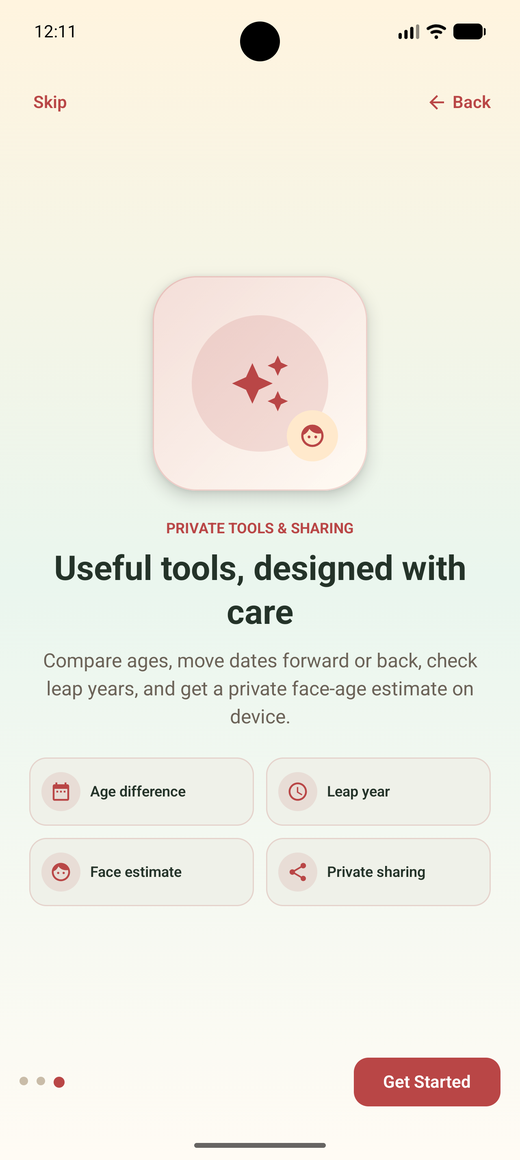
Onboarding screen introducing private tools including face estimate

Face age detector

Take a selfie with the camera or choose an existing photo from your gallery, and the app returns an estimated age range for the detected face. It is a party trick, and the app says so plainly on screen.

How it handles your photo

  • Analysis runs on your device. The image is not uploaded to a server for processing.
  • The app does not save the photo to its own storage after the estimate is produced.
  • If you share a result, the shared image contains the numbers only — never your face.
  • Camera and gallery permission is requested only when you open this tool, and you can decline.

Entertainment only. Estimates shift with lighting, angle, expression, make-up, glasses and camera quality. Do not use this tool for identity checks, age verification, legal, medical or employment decisions.

Age difference between two people

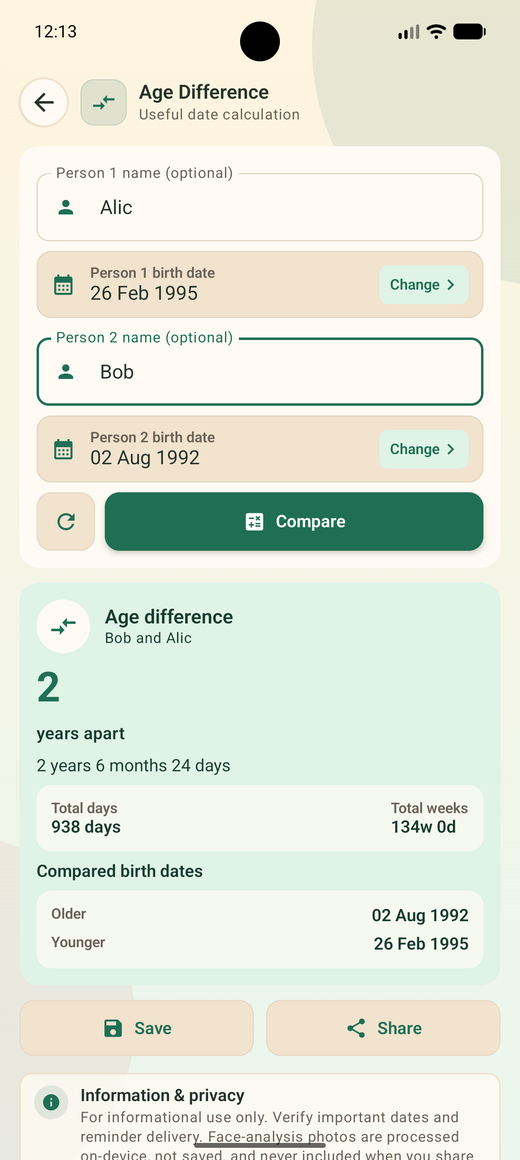
Enter two birth dates and, if you like, two names. The result shows the gap in years, months and days, along with total days and total weeks, and clearly labels which person is older.

Named comparison

Optional names appear in the result so it reads like a sentence, not a puzzle.

Older / younger

Both dates are restated side by side and sorted, so there is no ambiguity.

Total days and weeks

Useful for twins, siblings and cousins born close together.

Save or share

Keep the comparison in history or send it as a clean result image.

Common uses: sibling gaps, comparing a couple's ages, checking a class year difference, or working out how much older a colleague is for a milestone celebration.

Age difference result comparing two birth dates

Leap year checker

Type any year and find out whether it has 366 days. The app shows which part of the Gregorian rule applies, how many days that February holds, and the nearest leap years on either side.

The rule it applies

  • Divisible by 4 → leap year,
  • unless divisible by 100 → not a leap year,
  • unless also divisible by 400 → leap year again.

That is why 1900 was not a leap year but 2000 was. If you were born on 29 February, this tool pairs with the leap-day birthday setting described below.
Date add and subtract

Start from any date, choose a direction, and move by days, weeks, months or years. The result is a real calendar date with its weekday, not an approximation.

Typical questions it answers

  • What date is 90 days from today?
  • When does a 3-month probation period end?
  • What was the date 45 days before an invoice?
  • When does a 2-year warranty expire?

Month arithmetic clamps sensibly: adding one month to 31 January lands on the last day of February rather than spilling into March.

Birthday and anniversary reminders

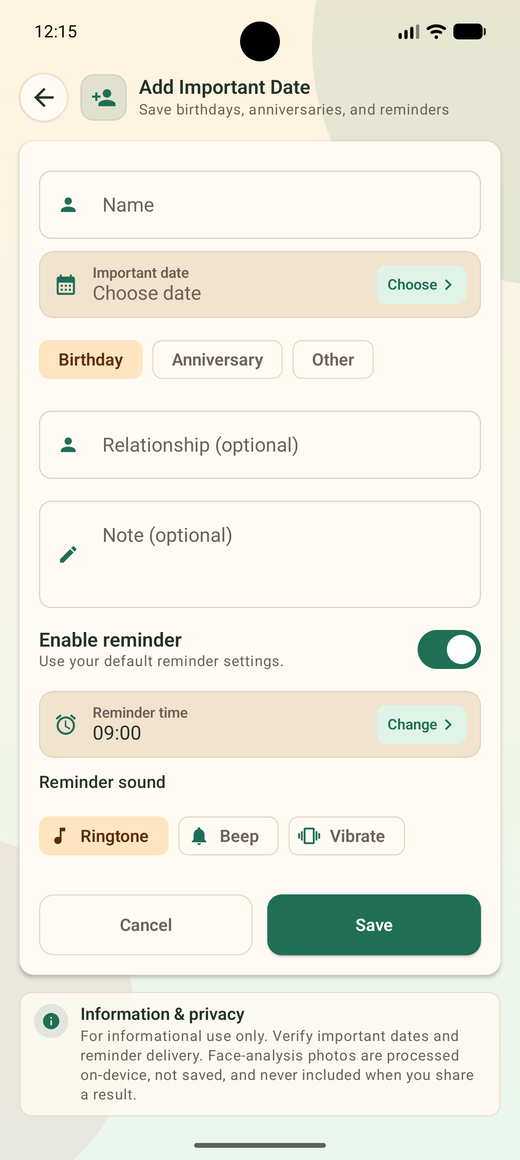
The Friends & Family section is a private address book of dates. Add a person or an event, and the app schedules a local notification on the right day every year.

What you can save

Name and date

Required. Everything else is optional.

Type

Birthday, anniversary or other — used for filtering later.

Relationship

Mother, cousin, colleague — whatever helps you recognise the entry.

Note

Gift ideas, ring sizes, the restaurant they liked.

How the reminder arrives

Ringtone

Beep

Vibration

Set a default reminder time — 09:00 out of the box — and override it per entry. The list also shows a live countdown, so you can see at a glance that a birthday is 17 days away.

Add important date screen with reminder sound options

Around the tools

History, sharing and settings

Calculation history

Recent results are kept locally so you can look one up again. Automatic saving is a toggle in Settings, and you can clear the list whenever you want.

Share a result

Turn any result into a tidy image for chat or social apps. Sharing & export settings control the image format and how much detail it includes.

Appearance

Follow the system theme or pin light or dark. Date display format is configurable too — dd MMM yyyy by default.

Calculation preferences

Choose which metrics appear in results, and decide how a 29 February birthday is treated in non-leap years — 28 February or 1 March.

Notification access

In-app guidance for granting notification permission and exact-alarm access, plus battery optimisation tips so reminders fire on time.

Data & privacy

See what is stored locally and clear it in one place. Read the full privacy policy for details.

Still have a question?

The FAQ covers accuracy, permissions, reminders, privacy and troubleshooting in detail.